NextSet for conferences and conventions
Keep keynotes, sessions, and speakers on time — and give attendees a live schedule that updates the moment plans change.
For: Conference and convention organizers
Running a conference means managing a living, shifting schedule across a full day (or several). NextSet gives you one shared timeline that your AV team, speakers, staff, and attendees all trust — and that recovers gracefully when reality doesn't match the printed agenda.
The problem NextSet solves
Printed schedules, group chats, and shouted time cues all break the same way: the morning keynote runs 14 minutes over, and no one has a good answer for what that means for every room and slot that comes after it.
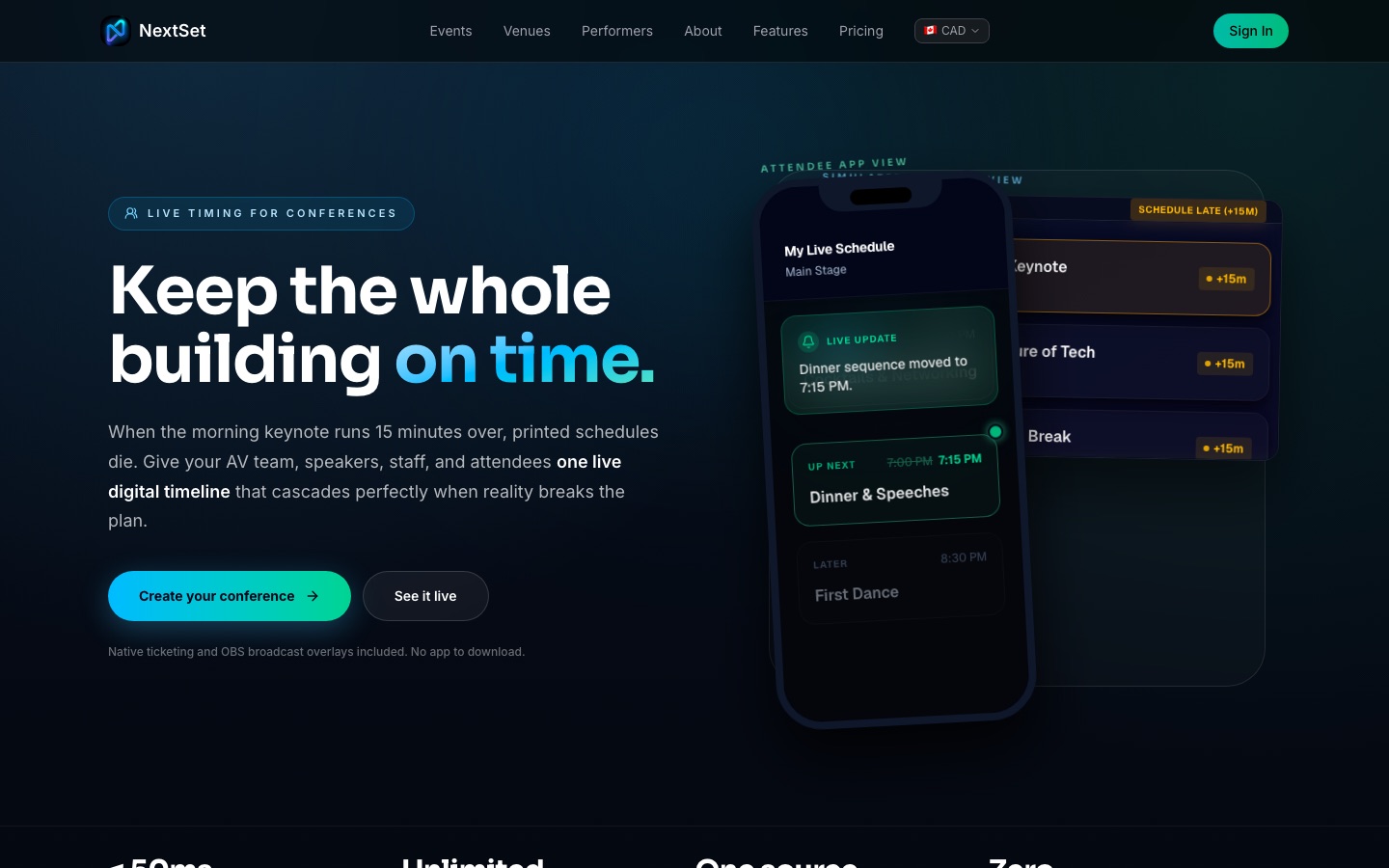
NextSet replaces those disconnected signals with a single live state. When you adjust the timeline in the director controls, every screen and every attendee phone reflects the new reality within seconds — automatically.
What's included
A countdown your speakers can't ignore
When a speaker is on, a large countdown timer drives the downstage monitor (or any screen you point at the projector URL). It counts down to zero and then keeps showing the overage so nothing silently disappears. Speakers get an unambiguous, undeniable signal — no need to wave cards or interrupt.
Director controls for your ops team
Your event director (an AV lead, stage manager, or operations coordinator) works from a dedicated dashboard. From there they can:
- Start and stop each session's timer.
- Pause and resume if there's an unexpected hold.
- Add or subtract minutes on the fly — no restart needed.
- Advance to the next agenda item with one tap, automatically starting the right duration.
The whole rundown is visible at a glance: what's live now, what's next, and how far through the day you are.
A live attendee schedule on every phone
Attendees scan a QR code at registration or at the door and get the live schedule on their phone — no app download required. If a session moves or a room changes, the update reaches every attendee instantly. They don't need to re-scan or refresh; it updates on its own.
Ops and vendor coordination
The same live state that drives the speaker countdown and the attendee schedule also reaches your broader ops team. AV technicians, MCs, catering leads, and sponsor liaisons can all be watching the same timeline so no one is working from stale information.
How to set up your conference
- Go to nextset.ca/conferences and click Create your conference.
- Work through the short intake — you'll name the event, set the date, and describe the format.
- Build your rundown: add each session, keynote, break, and sponsor slot, and set a planned duration for each.
- Share the director URL with your ops team and the attendee QR code with your registration flow.
- On the day, your director starts each item when it goes live, and the whole system follows.
Pricing
Conference and convention events use the private event plans. All prices are in CAD.
| Plan | Price | Guests included | Extra guests |
|---|---|---|---|
| Private Base 100 | $79/month | Up to 100 | $1.60 each |
| Private Growth Packs | $129/month | Up to 250 | $1.20 each |
| Custom (large events) | Contact us | Up to 1,000+ | Custom |
Annual billing is available at checkout. For multi-venue rollouts or branded private programs, email hello@nextset.ca.
Common problems
The keynote ran over — how do I handle the drift? Open the director controls and adjust the start time of the next session by adding or subtracting minutes to the running timer, or simply advance to the next item when ready. The attendee schedule and every ops screen update automatically. You don't need to touch a separate "attendee" system — they all share the same live state.
Can attendees see the schedule on their phones without downloading anything? Yes. Attendees access the live schedule through a QR code that opens a mobile-friendly web page. No app installation is required. The page updates on its own as the schedule changes.
We have multiple rooms running at the same time — can NextSet handle that? The director dashboard gives your ops team visibility across agenda items, and each room's session can be tracked from one place. For complex multi-track events with simultaneous sessions in different rooms, contact hello@nextset.ca to discuss your specific setup before you commit.
The speaker's countdown shows the wrong duration. The timer length comes from that rundown item's planned duration. Open the item in your rundown and update the duration — it will take effect the next time you start that item.
The attendee schedule isn't updating on a specific phone. The schedule updates automatically in the background. If a phone seems stuck, a manual refresh of the page will resync it immediately.