Subscriptions and free trials
How Fan Pro and other plans work, what happens during your trial, and how to manage your subscription.
For: Subscribers
This article explains how subscriptions and free trials work on NextSet — what you get, when you get charged, and how to stay in control of your plan.
Free trials
When you create a new NextSet account, you get a free trial so you can explore the platform before entering any payment details.
- Fans get a 24-hour free trial on a Fan or Fan Pro plan.
- Creators — venue owners, bands, promoters, and sound engineers — get a 30-day free trial so you have plenty of time to run a real event.
During your trial you have full access to the features included in that plan. No card is required until your trial ends.
When your trial finishes, you'll be prompted to subscribe to keep access. If you choose not to subscribe, your account reverts to the free tier — you won't lose your data or event history.
Fan and Fan Pro plans
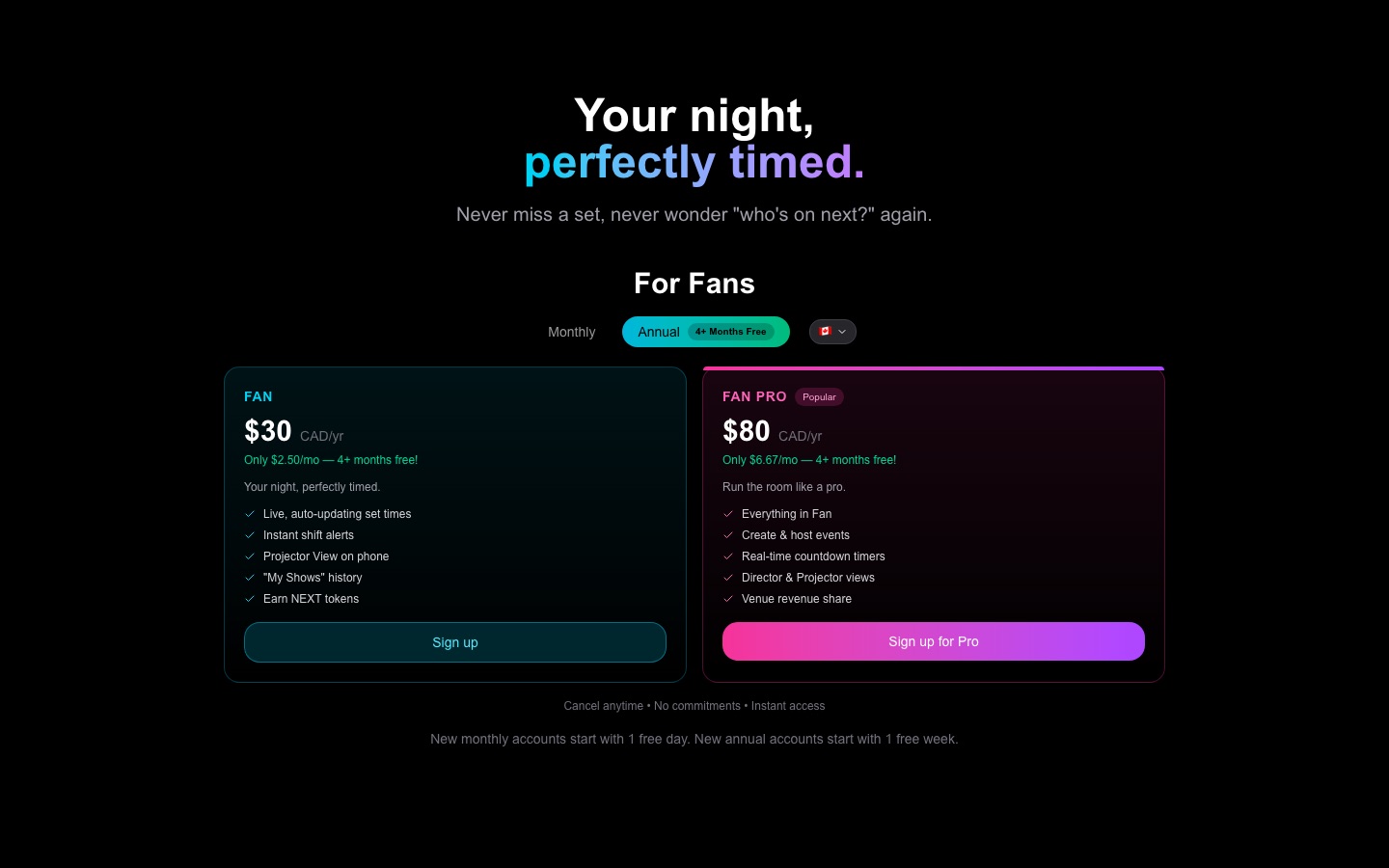
Fan plans let you follow shows, earn NEXT tokens, tip performers, and unlock perks at events you attend.
| Plan | Billing | What you get |
|---|---|---|
| Fan | Monthly or annual | Follow shows, earn tokens, check in, tip |
| Fan Pro | Monthly or annual | Everything in Fan, plus 10% more tokens on every action and up to 2 active devices |
Annual billing gives you two months free compared to paying month by month — the price is locked in for the year.
Fan Pro members can be signed in on up to 2 devices at the same time. If you haven't used a device in about 30 days, it releases automatically so you can add a new one.
Creator plans
If you run events, venues, or shows, you subscribe as a creator. Creator plans include everything you need to build rundowns, run the live timer, drive projector screens, and sell tickets.
See the pricing page for current plan options and prices in your currency. Prices are shown in CAD for Canadian accounts and USD for everyone else.
How checkout works
When you're ready to subscribe, NextSet takes you to a secure checkout page hosted by Stripe — the same payment infrastructure used by millions of businesses. Your card details go directly to Stripe and never touch NextSet's servers.
- Choose your plan on the pricing page or when your trial ends.
- You'll be redirected to a secure checkout page.
- Enter your card details and confirm.
- You land back on your dashboard, and your plan is active immediately.
If you have a promo or discount code, enter it on the checkout page before paying. Codes are applied before your card is charged.
Managing your subscription
Once you're subscribed, you can view your billing details, download past invoices, update your payment method, or cancel — all from your account settings.
To get there: sign in, go to your account or settings, and open the Billing section. From there you can:
- See your current plan and next renewal date.
- Update your card.
- Download invoices.
- Cancel — if you cancel, your access continues until the end of the period you've already paid for, then stops.
Common problems
Your trial expired and you were redirected to the pricing page. This is expected — when a trial ends, NextSet prompts you to choose a paid plan. Head to the pricing page, pick the plan that fits, and complete checkout. Your account history and settings are all still there.
You see a "duplicate plan" or "already subscribed" error at checkout. This means your account already has an active subscription at the same or higher level. You don't need to check out again. If you want to switch between monthly and annual billing, or upgrade from Fan to Fan Pro, go to Billing in your account settings and manage the change from there — rather than starting a new checkout.
Your card was declined. Double-check the card number, expiry date, and billing address. If it still fails, try a different card or contact your bank — sometimes a first charge from a new merchant gets flagged. NextSet support can't override card declines.
You subscribed but your plan doesn't appear to be active. It usually takes a few seconds after checkout for your account to update. Try refreshing your dashboard. If it still shows the wrong plan after a minute, sign out and sign back in to force a fresh status check. If the problem persists, contact support.
You want to cancel but keep access until the end of your billing period. That's exactly how cancellation works. Cancel in Billing and your plan stays active until the renewal date you've already paid for — you won't be charged again after that.