Churches and multi-service coordination
How NextSet coordinates services, cues volunteers and teams, and keeps speakers on time — for any faith tradition.
For: Churches, faith communities, production teams
NextSet was built for live events that can't afford to fall apart — and a Sunday morning service is exactly that. This article explains how NextSet keeps your team moving together, cues volunteers at the right moment, and times speakers without anyone needing to wave from the back row.
One living timeline for your whole team
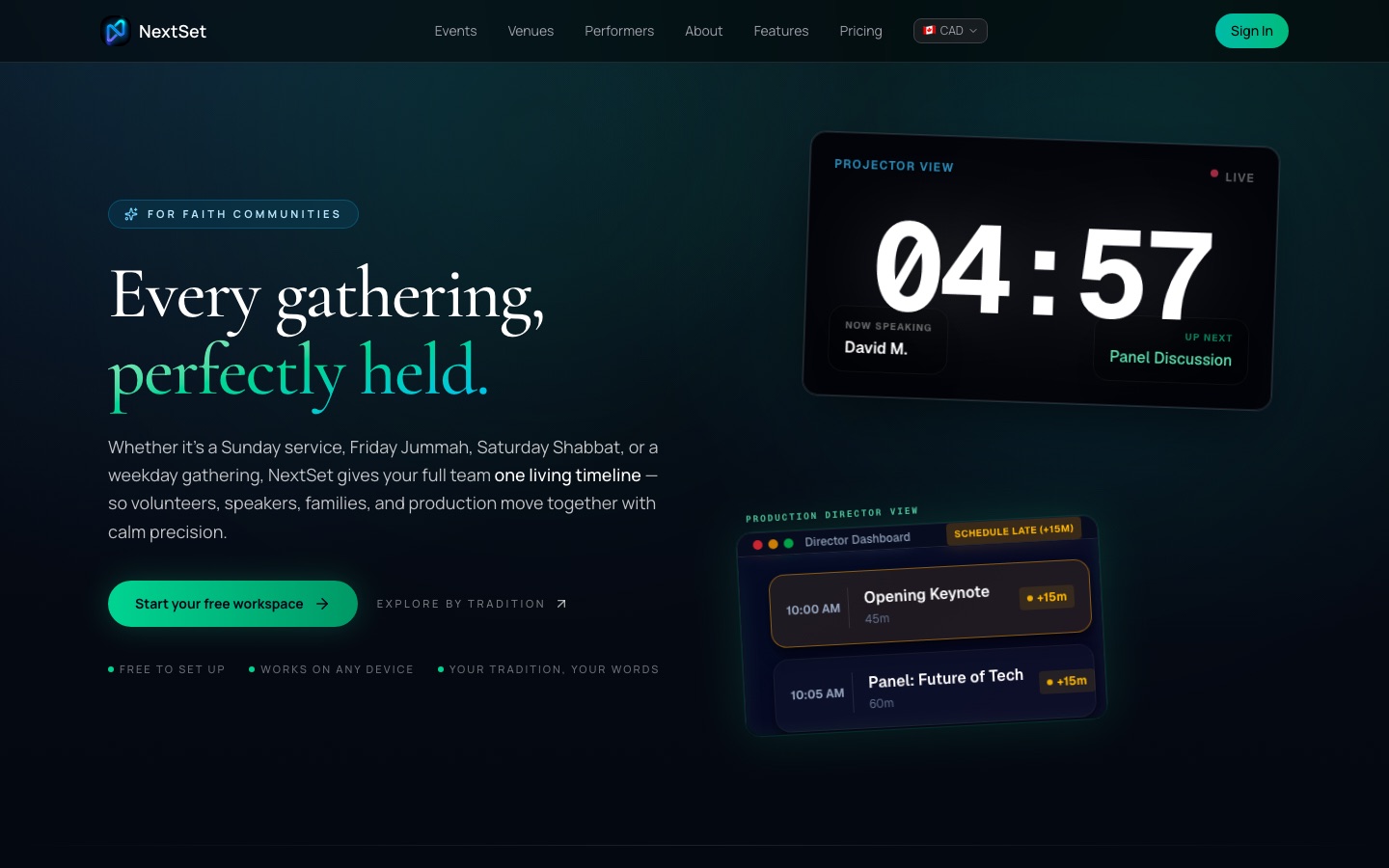
The core idea is simple: everyone — production booth, volunteers in the lobby, ushers by the door, the speaker on stage — watches the same live rundown at the same time. When a segment runs long or a song gets cut, you adjust it once in the director controls and every screen updates on its own, instantly.
No group texts. No rushed hand signals. No one missing a cue because they were watching the wrong thing.
Coordinating a service from the director controls
Your production director (or whoever is running the show) works from a private director view on a tablet or laptop. From there they can:
- Build the order of service — add segments for worship, prayer, the message, communion, giving, announcements, and anything else. Drag items into the right order.
- Set durations — give each segment a planned length. The timer counts down from that number, so everyone can see how much time is left.
- Advance the rundown — one tap moves to the next segment and starts a fresh countdown, automatically using that item's planned time.
- Adjust on the fly — if the message runs long, add a few minutes without stopping the timer. If a segment gets cut, skip it in one tap.
The speaker and any backstage team watching a confidence monitor see the countdown updating live without anyone else doing anything.
Cueing volunteers
This is where NextSet changes the most for production teams. Instead of texting hospitality when the service is 10 minutes from ending, or radioing the kids' team to get ready, NextSet sends cues automatically based on where the rundown is.
Each volunteer team — hospitality, prayer ministry, kids and youth, tech, ushers — can follow the live rundown on their own device. When an item is about to start or end, they see it coming with time to prepare. No one needs to manage those messages manually during the service.
The cue lands on the right device at the right moment, so your team feels the room instead of watching their phones for a text.
Multi-service coordination
What is multi-service? Many congregations run two or more services on the same day — an early service and a late service, or even a third. Each service is its own event in NextSet, but you don't have to build them from scratch.
Here's how it works:
- Create and finalize your first service.
- Clone it for the next service — the full rundown, durations, and structure carry over.
- Change only what differs (a different worship song, a guest speaker, a shorter announcements block).
- Run both services from the same account, with separate timers and rundowns that don't interfere with each other.
Your team runs the 8:00 AM service, you clone it in seconds, make two edits, and the 10:30 AM service is ready before the first one is over.
Special occasions and seasonal services
Clone your regular service template for Christmas Eve, Easter, Eid, Diwali, Passover, a holiday cantata, or any special gathering. Adjust only the elements that change. Everyone stays in sync on the same timeline they already know how to use.
Common problems
Does NextSet work for traditions other than Christianity? Yes. NextSet is built for any faith tradition — mosques, temples, synagogues, shrines, community centers, and more. The platform uses your language and your terms. There is a full directory of tradition-specific pages at nextset.ca/faith-events covering 20 major traditions including Islam, Hinduism, Judaism, Buddhism, and others. The tools are the same; only your content differs.
What is multi-service, exactly? Multi-service means running more than one event (service) on the same day or weekend. In NextSet, each service is its own event with its own rundown and its own timer. The "clone" feature lets you copy a finished service so you only update what changes — you are not rebuilding from zero each time.
How do volunteers actually get cued? Volunteers follow the live rundown on their own phones or tablets — no special app download required, just a link. As the director advances through the service, every device watching the rundown updates in real time. Volunteers can see which segment is active, which is coming next, and how much time is left. The director can also send a message to everyone following along if something changes unexpectedly.
The timer shows a different time on my laptop vs. the projector. A second or two of difference during a brief reconnect is normal and corrects itself automatically. If a screen looks stuck, reload that page — it catches back up immediately. Confirm the director has actually started the current item, since an idle timer won't move.
Can I use NextSet for a small, informal gathering — not just a large service? Absolutely. NextSet scales from a 20-person weeknight study group to a 2,000-seat sanctuary. The rundown can be as simple or as detailed as your gathering needs. You don't have to use every feature — start with just the timer and order of service, and add volunteer cueing when you're ready.